
In 2015 while undertaking internship at IT Plus Solutions Limited, I built my first WordPress website. Eleven years later the count is past fifty: school and organisation websites built and maintained through Sharebility Web Services, many of them shown in my projects portfolio, plus many more I have inspected, audited and supported through the ICT Teachers Association of Uganda, the Uganda WordPress community and the EduTech Teachers Network ETN. The pattern I keep seeing across these sites is not a shortage of tools. It is a shortage of maintenance — and, behind that, a shortage of someone whose job it is to care.
In 2016, together with my Makerere final-year project group, we built the Sharebility digital library as a live system rather than a graduation demo. Sharebility was later admitted to the Makerere Innovation and Incubation Centre. In 2020, when schools closed, we rebuilt the library on WordPress — over 10,000 resources published, and by late 2021 more than 2.3 million learners and parents served. WordPress is not a tool I read about; it is the platform on which my professional life runs.
A decade inside WordPress
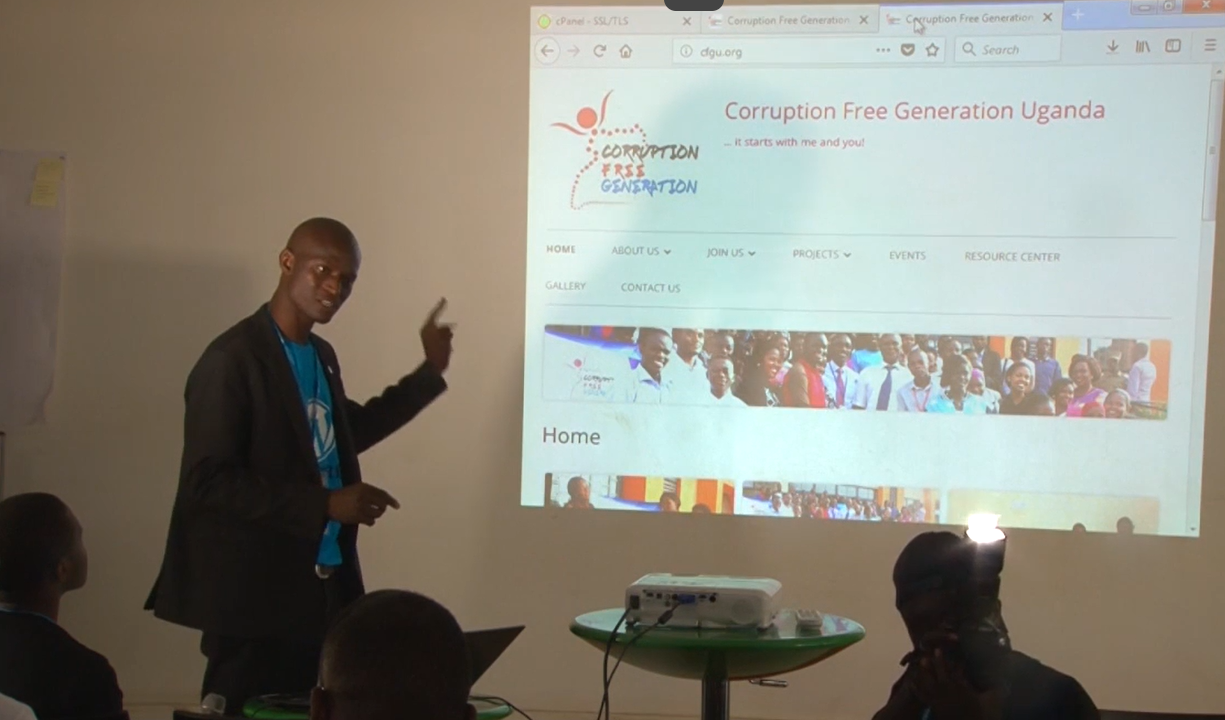
My WordPress.org profile (@mrogers4christ, joined November 2017) records the community side of that work: contributor teams including Community, Hosting, Polyglots and Training, badges from WordCamp organising, speaking and volunteering since 2017, and a Five for the Future pledge through Sharebility Uganda committing three sponsored hours every week. I have spoken at nearly every WordCamp in Uganda since 2017, and my sessions track exactly the concerns of this article:
• Securing WordPress websites with SSL certificates — WordCamp Kampala 2017 (recap on my site here)
• Backup before you crack up — WordCamp Entebbe 2019
• Creating portable static websites for the UNEB Computer Studies practical exam — WordCamp Jinja 2022
• Workshop: creating a 4-page website using the block editor — WordCamp Kampala 2023
• New curriculum web design projects and DIT assessment using WordPress — WordCamp Entebbe 2023
• Navigating the landscape of WordPress security — WordCamp Jinja 2023
• Content is king — WordCamp Lira 2024
• WordPress as an EduTech tool: transforming education through digital innovation — WordCamp Mukono 2025
My first talk at WordCamp Kampala 2017 is on WordPress.tv and is embedded below.
Mukalele Rogers: Securing WordPress Websites with SSL Certificates – WordCamp Kampala 2017
WordPress in Ugandan Schools
The schools’ side of the story is equally well documented. The competence-based curriculum made ICT integration a cross-cutting requirement and encouraged schools to share digital resources for learners’ self-study and research. Then COVID-19 closed every school in the country, and websites stopped being optional. Within weeks of the March 2020 lockdown, teachers were standing up WordPress sites in hours to deliver notes and assignments — documented by the ICT Teachers Association in April 2020. Today the Sharebility–Edify partnership runs EdTech training across a 500-school mission — with field data showing device shortages and policy gaps that training alone cannot close. A school website is no longer a notice board. It is where learner and guardian data lives, and the Data Protection and Privacy Act, 2019 makes protecting that data a legal obligation.
The patterns I see again and again
What follows comes from my own practice and from colleagues in the WordPress community. Every incident is anonymised; no school is named, and I describe them so that the people responsible can recognise themselves without embarrassment — because none of this is their fault.
• Updates that never happen. I recently checked a school site whose WordPress core was two years behind, with themes and plugins one to four years behind it. The teacher in charge told me plainly: “Nobody told me I was supposed to update it, and I don’t know what would break if I did.” In most schools no single person owns the update task, so the task simply never happens.
• Default and shared logins. The account named “admin” is still the most common sight in this sector, often with a password shared among several staff members — including staff who left years ago. In one workshop, four people in the room could all log in with the same credentials and none of them knew who had created the account.
• Privileges beyond the role. A teacher who only needs to publish announcements gets administrator rights because that was the quickest way to get the site working. Multiply that by every staff change since, and a school can have a dozen people with full control and no record of who they are.
• No backups, or backups never tested. At a school where the site was their only channel to parents during lockdown, the only “backup” was a folder on the same computer that held the site. Backups that are never restored are promises, not protection — a lesson I have taught since my WordCamp Entebbe talk.
• Spammed and hacked sites. Comment spam and search-engine spam are routine. I have also walked schools through defacement and full compromise — a homepage replaced, or a site quietly serving malware to parents. Recovery is slow and expensive, and in most of these cases there was nothing clean to restore. A colleague in the WordPress community once spent a weekend cleaning a school site by hand because no backup existed; the school lost two years of posts.
The plugins exist — so why do the problems persist?
It is tempting to answer “just install a security plugin”. The tools are real and I use many of them: Wordfence for scanning and firewall, Sucuri for monitoring and cleanup, Solid Security (formerly iThemes Security) for hardening, UpdraftPlus for backups, WPScan for vulnerability checks, Akismet against spam, Limit Login Attempts Reloaded, WP Activity Log and Really Simple SSL. But each has a limit in a school. Free tiers stop where the school’s needs begin; premium features cost dollars a school does not budget for; alerts need someone to read and triage them; and every plugin installed is itself a component that must be updated and paid for. Above all, a plugin is a tool — it does not create the habit. Somebody still has to own the task.
A maintenance habit, not a product
Security on a school website is not something you buy once. It is a maintenance habit that somebody has to own, in an institution whose entire technical function is often one busy teacher. There is need for a minimum website maintenance baseline, in the right order, at a known cost, that a school can actually keep. If you run a school website — or you are the teacher who ended up responsible for one — I would love to hear your experience on maintenance and security.